
Rolling Real Dice in Baldur's Gate 3: A Reverse Engineering Story
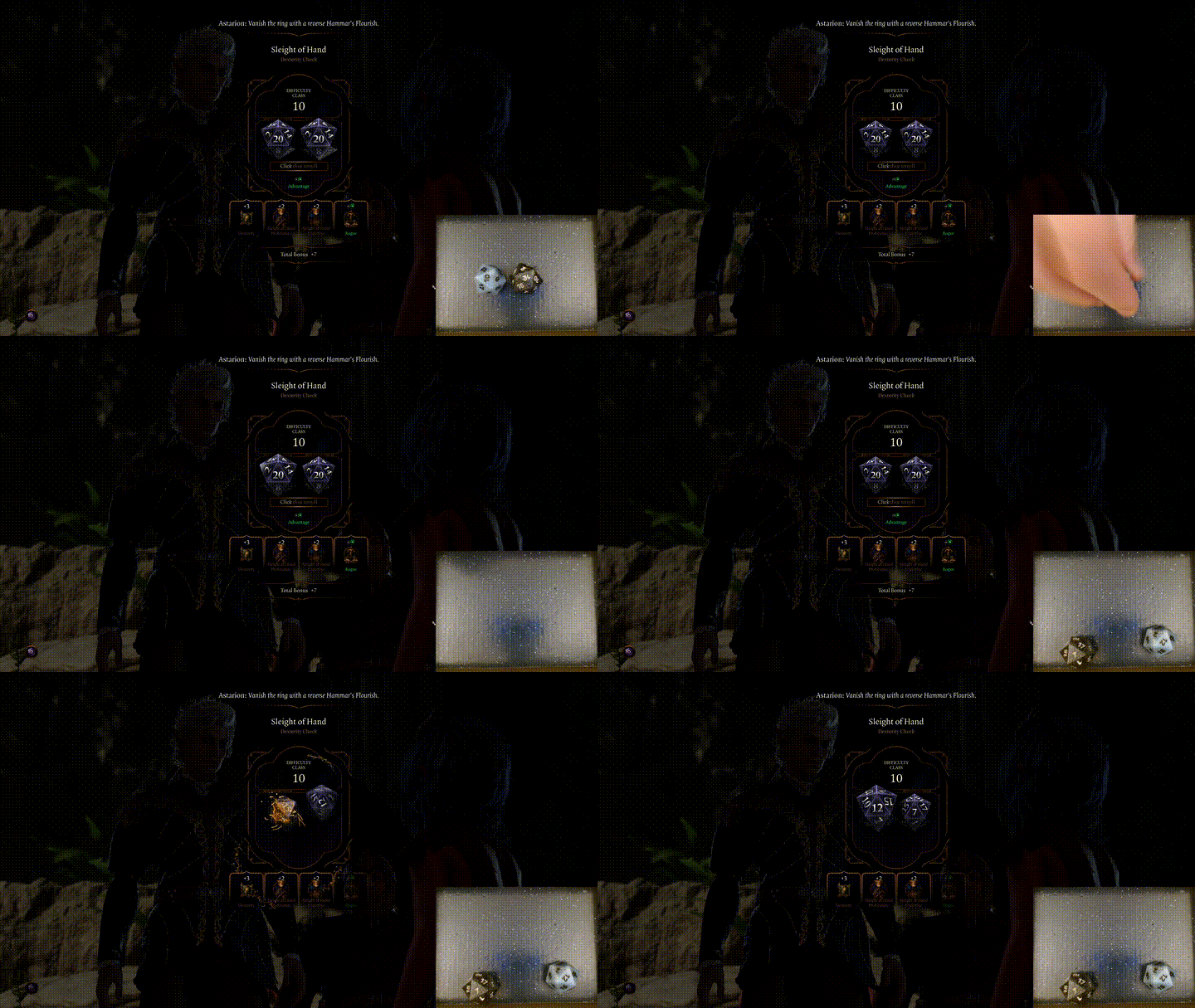
- 21 minsYou pick up a small, glowing 20-sided die from your desk. It’s heavier than you expected the first time you held one — there’s a battery in there, an accelerometer, a Bluetooth radio, a little ARM chip. You shake it, let it tumble across the wood, and it settles on a 17. A second later, on your monitor, the persuasion check in Baldur’s Gate 3 resolves with a 17 plus your charisma modifier. The DC was 15. The guard steps aside.
That’s the hook. That’s the feeling I was chasing for months. This is the story of how I got there — first by tearing the game apart in a disassembler, and then by teaching Windows to keep a stubborn little radio dice connected long enough to actually play with.
Part 1 — Cracking Open the Game
The naivety
I started this project the way I start every project that ends up taking a couple of weeks: by assuming it would take a weekend.
The plan, as it lived in my head on day one, was simple. Baldur’s Gate 3 rolls a die somewhere in its code. I find that “somewhere,” I overwrite the result with whatever number my physical die rolled, the game proceeds. How hard could it be?
There were a few things I didn’t know yet. I didn’t know the game generates rolls in dozens of contexts and most of them aren’t the one I cared about. I didn’t know that the value I’d eventually find on the stack would be a copy of the result that the game had already stored somewhere else and stopped looking at. I didn’t know the word “calling convention” was about to become my enemy. And I definitely didn’t know that the Bluetooth Low Energy (BLE) stack on Windows would be a nightmare to work with due to the big diversity of implementations and quirks.
Anyway, I started with Ghidra, a copy of MinHook, and an unfounded confidence. So off I went.
The Mod Manager
One of the most fascinating things about Baldur’s Gate 3 is how intentionally mod-friendly it feels. Even before touching a disassembler or writing a single hook, you can already sense that Larian wanted players to experiment with the game. The existence of the official mod support pipeline, with the Osiris scripting language, the structure of the data files, the way gameplay systems are exposed through stats, passives, boosts, and scripting — all of it communicates the same philosophy:
“Players should be able to bend this game into something new.”
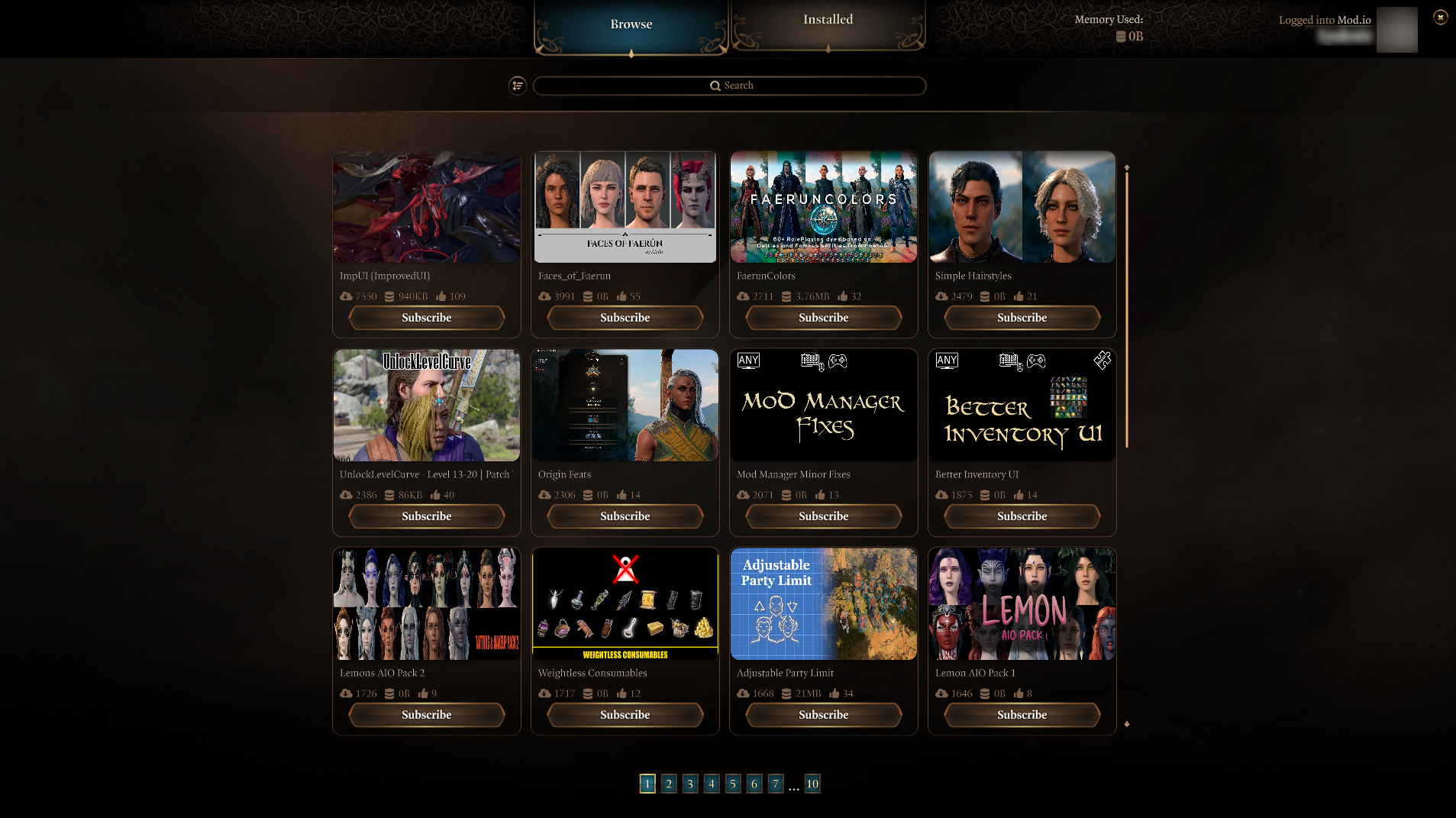
Baldur's Gate 3 Mod Manager found in Game's Main Menu.
And honestly, that openness is one of the reasons this project exists at all. For most mods, the official ecosystem is more than enough. The BG3 Mod Manager, together with Larian’s toolkit and Norbyte’s Script Extender support, allows creators to build remarkably sophisticated modifications without ever touching the native executable. Entire gameplay systems can be rewritten through data-driven approaches: custom classes, spells, passives, UI additions, even new mechanics and balance overhauls, all of them and many more are possible with those tools alone. The community has built massive projects entirely utilizing those frameworks. While I was researching about this project, I found existing mods capable of manipulating dialogue roll outcomes entirely through Script Extender and Lua. Mods like manual dice roll systems already demonstrated that BG3’s scripting layer could influence rolls at a fairly high level.
So the obvious question becomes: If the modding ecosystem is already this powerful… why go native?
At first, it honestly seemed possible that the entire system could live comfortably inside the existing BG3 modding ecosystem. Between the BG3 Mod Manager, Script Extender, Lua hooks, and Osiris scripting, the game already exposes an impressive amount of functionality and this is how I started working on it. The problems started to appear when I wanted to communicate with an external real-time application. That became one of the defining reasons the project eventually crossed from “traditional modding” into native engine integration. So, since I was already familiar with native modding from other projects, I decided to continue down that path. Anyway, more on this app later in Part 2. Now let’s focus on the technical details of how I found and hooked the dice roll function.
The entry point
The first thing I wanted was to be able to attach to the game and install my hooks via MinHook. There are some native loaders available for BG3, the problem with all the ones I found (e.g., Native Mod Loader, Yet-Another-BG3-Native-Mod-Loader) is that the injection is relying on a proxy DLL that needs to be placed in the game’s directory and could easily break whenever there is a patch of the game.
I wanted something more trivial, and I wanted something that can be installed/uninstalled very easily. That’s why I preferred to use a previous project that lets you masquerade as a system DLL and get loaded by the game automatically. In BG3’s case, this system lib was xinput1_4.dll and I used O⁻ to load my mod. Since BG3 uses this DLL natively, if you are playing on Steam, Steam Input should be disabled, otherwise the xinput1_4.dll will never get loaded, which means the mod will never get loaded too. So, this is a limitation of this approach. I would say actually that this is not a big deal, since BG3 has native support for all the popular controllers out there, so you should be good. Enabling Steam Input, is yet another way to disable this mod as well.
Descending into Ghidra
Usually, I would start off by using a debugger like x64dbg or even Cheat Engine’s one to attach to the game to try to discover a specific function by observing memory changes or setting breakpoints, but for this project I jumped straight into Ghidra and tried to find the right function by analyzing the decompiled code and searching for functions that look like they are handling dice rolls or having strings related to dice rolls, e.g., “Roll”, “Dice”, “Resolve”, etc.
Although, most of the functions of the game and especially from the engine are obfuscated and the symbols are not present in the binary, the strings are still there, which makes finding the right function much easier. I wouldn’t say that I faced any particular obstacle there regarding finding dice roll related functions, but it was a bit of a challenge to find the right function that actually handles the dice roll logic, because as it turns out the game has a lot of intermediary structures, helper functions, UI representations, and copied roll states that look authoritative without actually being responsible for the final outcome of the roll.
That distinction became one of the central themes of the entire reverse engineering journey.
At the beginning, almost every function that manipulated roll-related data looked promising. Some functions copied structures containing: total values, kept dice, secondary dice, roll modes, success flags, etc. and at first glance it genuinely felt like I had already found the actual roll state. So, for each function like this found in Ghidra, I would hook it and log its behavior to see if it was actually the authoritative roll state.
One of the earliest hooks I experimented with was a function I nicknamed RollCopy, because its behavior appeared to mostly involve copying roll-related structures from one place to another.
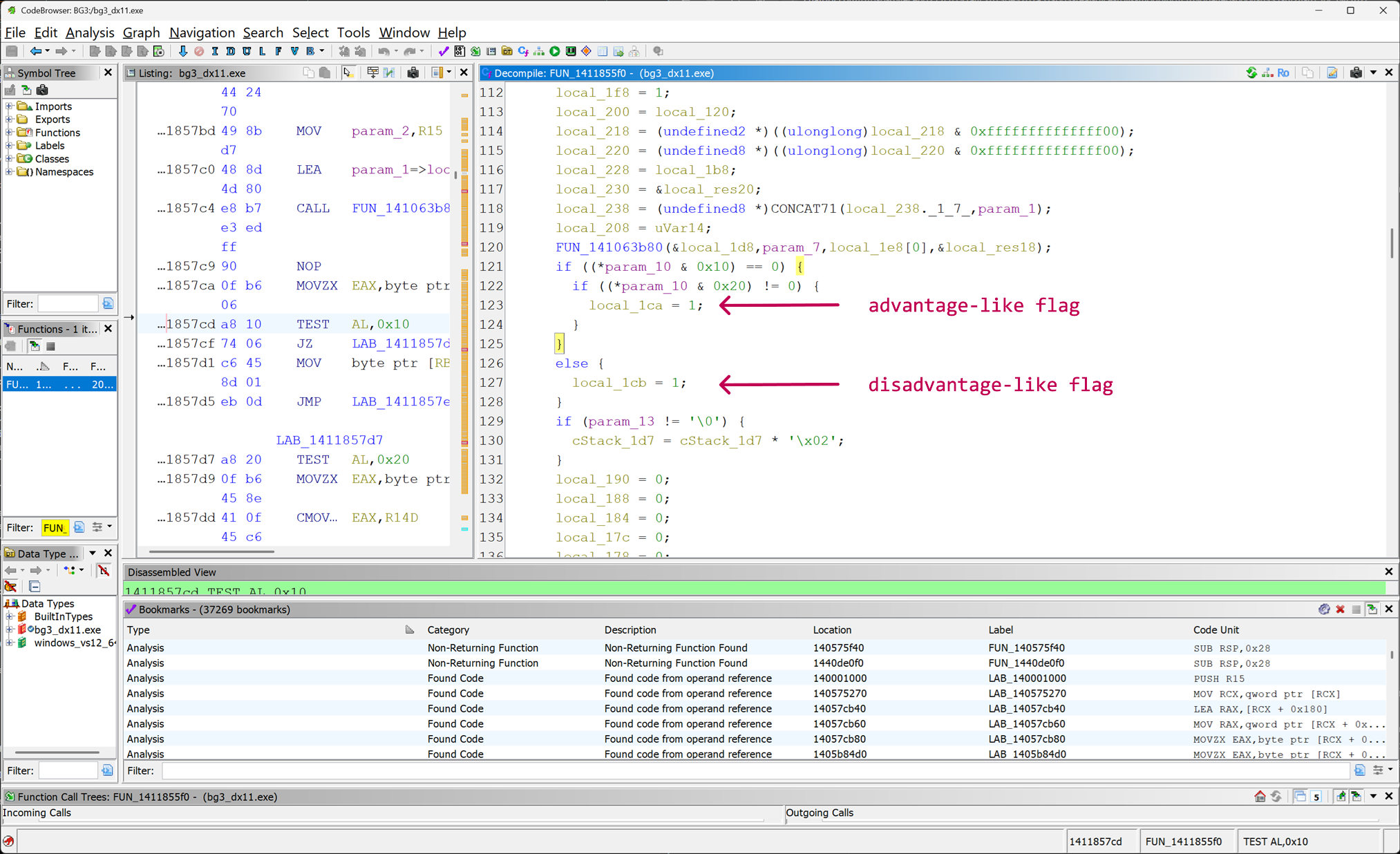
RollCopy function in Ghidra — The bitmask logic applied on param_10 in the part that is shown is used to construct the advantage/disadvantage states. The logs looked extremely convincing:
[BG3] roll state: +00=17 +04=10 +08=10 +0C=0 +10=0000000100000014
There were repeating values, d20-looking patterns (0x14 == 20), and fields that seemed to correlate with: roll totals, difficulty classes, and advantage states. At the time, it honestly felt like we were very close to where we want to be.But the first major red flag appeared when we started modifying those values.
Even after forcing obviously natural 20s against a difficulty class of 15, the game would report failure as shown in the screenshot below:
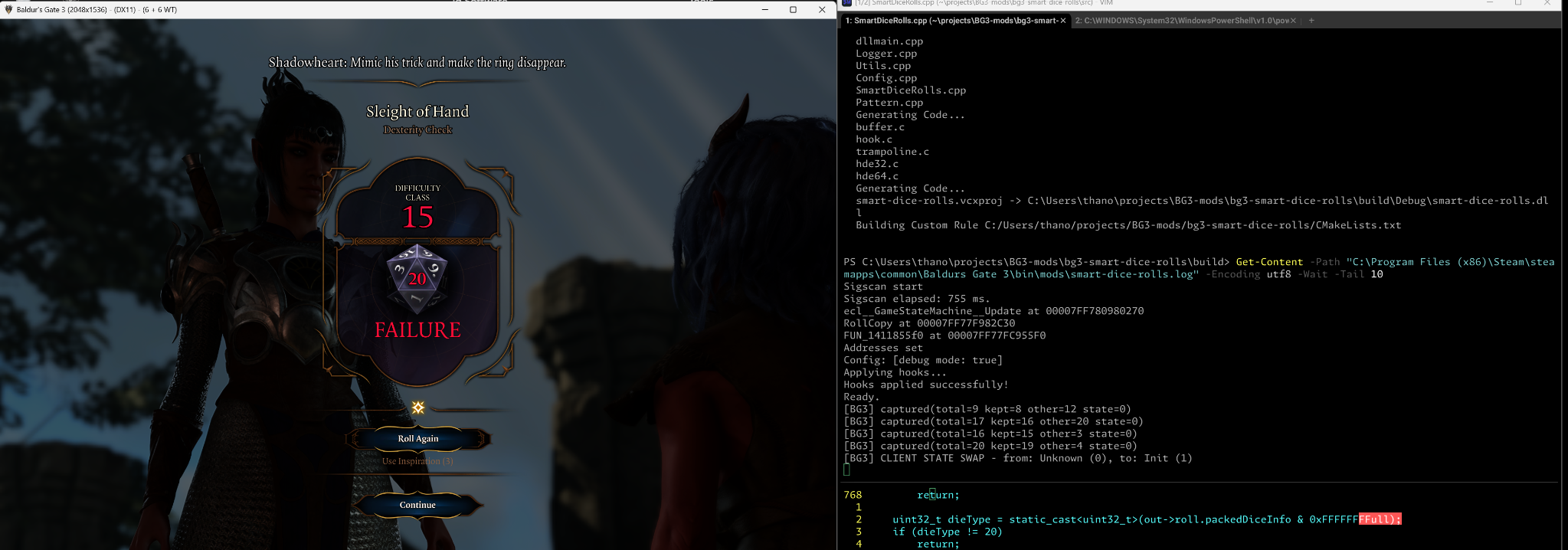
RollCopy failure — The game reports failure even after forcing a natural 20.
That was the moment where it became clear that I was not modifying the authoritative gameplay state. I was patching something downstream, most likely a copied or presentation-oriented structure used by the UI or intermediate systems. And Baldur’s Gate 3 appears to have many of those.
The deeper I went into the call graph following the references (i.e., xrefs) from the RollCopy function, the more I realized that the roll pipeline was heavily layered: raw dice generation, temporary state structures, copied roll payloads, UI-related roll data, dialogue-specific representations, and finally… final resolution structures (no pun intended, lol!).
Several functions appeared to participate in the process without actually being responsible for the final gameplay verdict.
Finding the Real Resolver
The breakthrough only came after stepping further upstream into the resolution pipeline itself.
Instead of following copied roll payloads, I started tracing the functions responsible for the actual dialogue roll resolution logic (following the references all the way upward) — the point where Baldur’s Gate 3 finally decides whether a check succeeds or fails. That eventually led to a function I later nicknamed ResolveDialogueRoll, which turned out to sit much closer to the authoritative gameplay state than any of the earlier hooks.
Ironically, the solution was not hidden behind especially complicated obfuscation or anti-tamper schemes. The hard part was simply distinguishing between the dozens of systems that observe, copy, display, and transport dice rolls, and the tiny part of the engine that truly owns the final verdict.
And once that distinction finally clicked, everything else started falling into place.
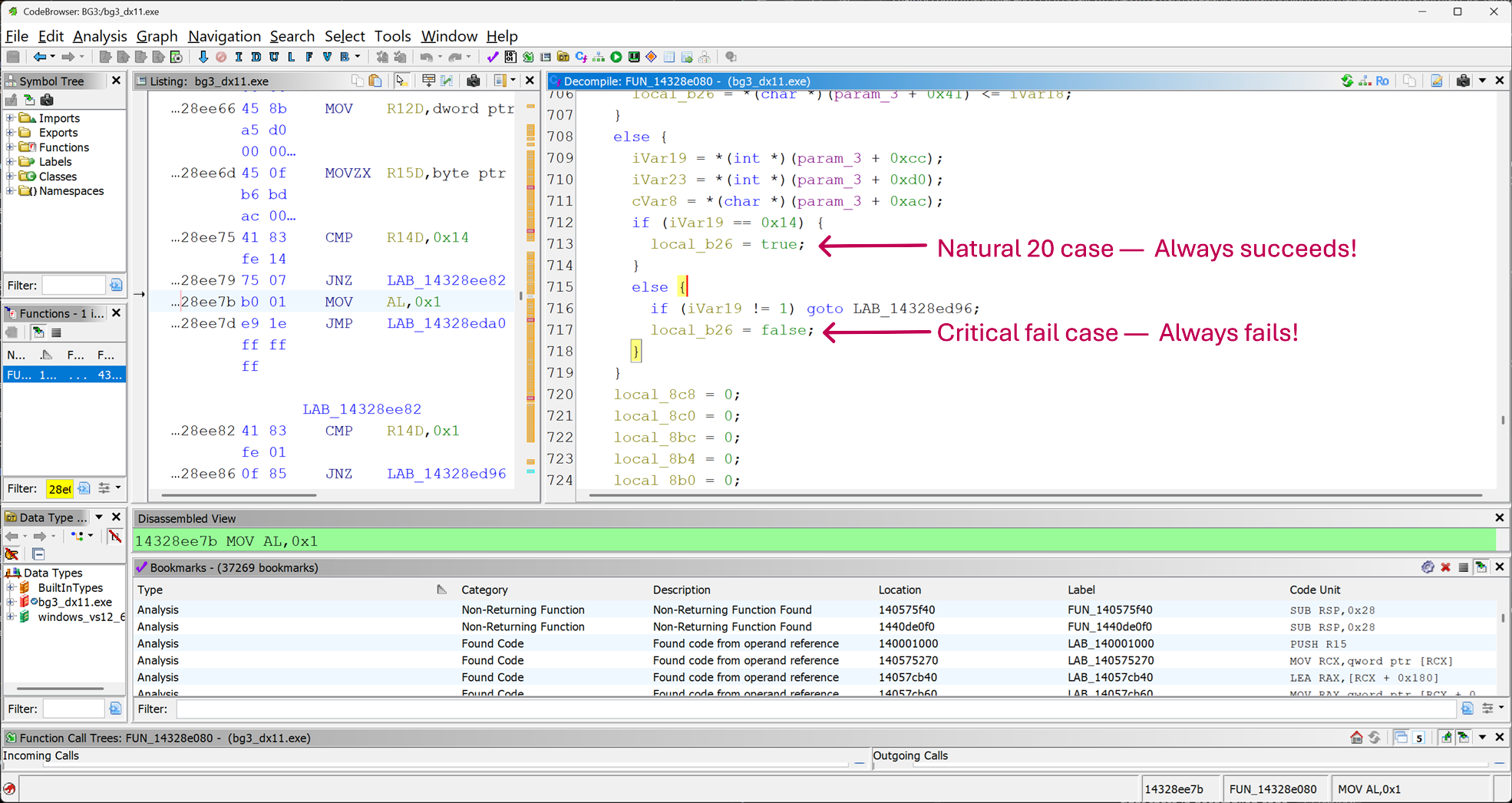
ResolveDialogueRoll in Ghidra — The function that actually decides whether a dialogue roll succeeds or fails. Reconstructing DialogueRollState
The function took a pointer to some struct. Ghidra had no symbols for it — just param_1 of type longlong *. So I had to figure out the layout the slow way: log everything, vary one thing, see what changes.
I wrote a logger that dumped the struct’s memory on every hook invocation, formatted as both bytes and 32-bit ints, with offsets. Then I rolled. Then I rolled again with a different DC. Then in a different dialogue. Then with a different character. Each time, I’d diff the dumps against the previous run to figure out which fields were stable, which moved, and which represented what.
After enough cycles, the struct started to take shape:
struct DialogueRollState {
    // Fields used by the dialogue subsystem
    uint8_t rawMode;            // +0x40
    uint8_t difficultyClass;    // +0x41
    uint8_t finalKeptDie;       // +0x42
    uint8_t finalOtherDie;      // +0x43
    uint8_t finalModifier;      // +0x44
    // ...
    uint8_t finalSuccess;       // +0x4C
    // ...
    int32_t modifier;           // +0xAC
    // ...
    int32_t finalTotal;         // +0xC8
    int32_t keptNaturalRoll;    // +0xCC
    int32_t otherNaturalRoll;   // +0xD0
};
This is a sanitized view; the real struct has many more fields between these (that we don’t really care about for this project), and I’ve named them by what they do rather than what the game’s developers may have called them internally. But the offsets are real, and they’re what the patches eventually target. Part 1 was done. The game was, finally, listening to my patches.
Part 2 — Teaching Windows to Talk to Dice
Pixels and PixelsWinCpp
If you haven’t seen them: Pixels dice are physical polyhedral dice with a tiny battery, an accelerometer, an LED matrix, and a Bluetooth Low Energy radio embedded inside. They do whatever dice do, but they also tell your computer or your phone what they landed on.
I built the Windows-side integration on top of PixelsWinCpp, a C++ library by the same folks who make the dice. Out of the box, it lets you scan, connect, and receive roll-state notifications. The official github repository has a nice example project that demonstrates the basic functionality via a console application. Since I wanted something that can run in the background and communicate with my mod but at the same time be easy to debug, I decided to build a tray application that can show the connection status of each die and also log the roll events. I chose to build a tray application because it’s easy to debug and I can see the connection status of each die at a glance. I named it PixelsDiceTray (like literally a dice tray where you roll your dice :P).
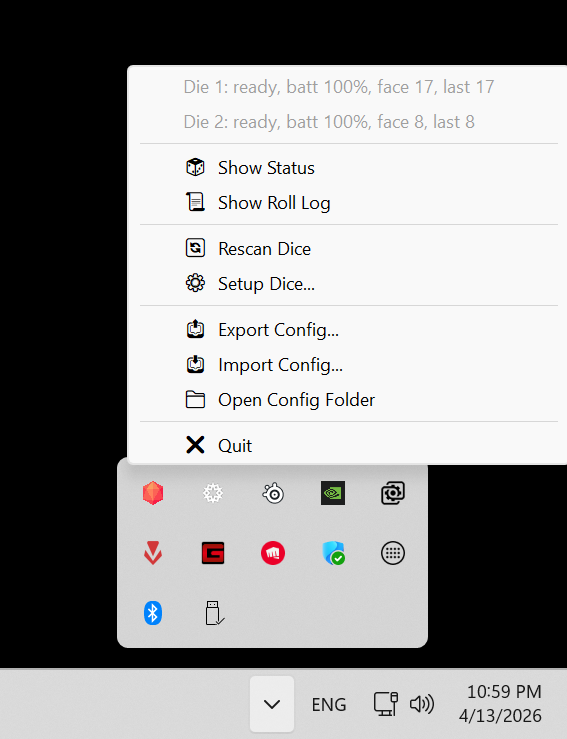 Right-click for quick actions — reconnect, reconfigure, view logs. | 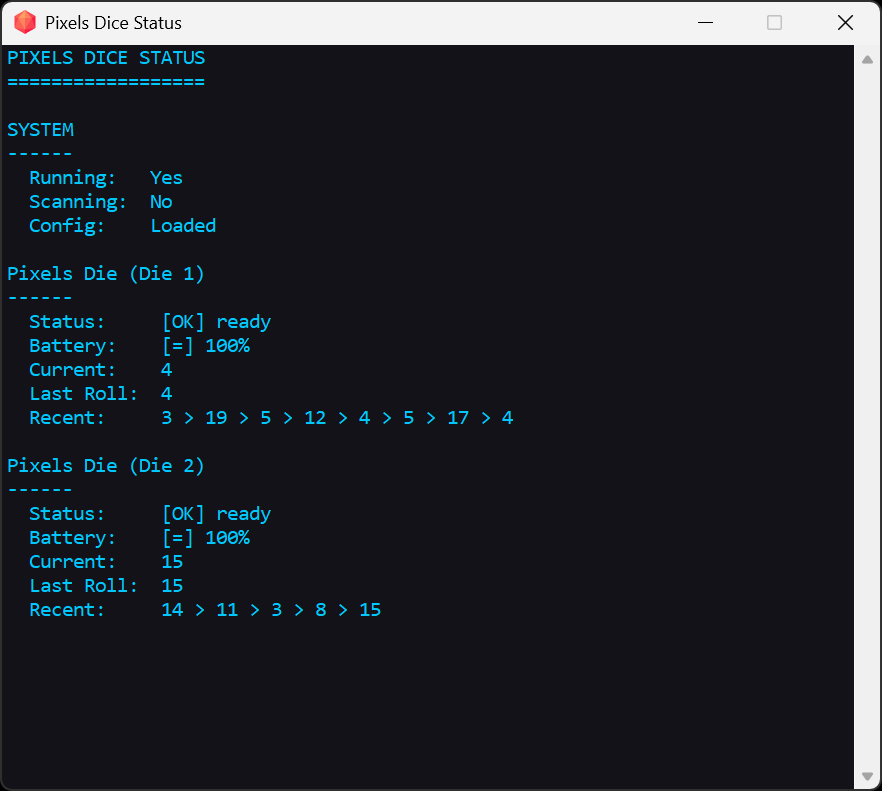 The tray app I built to surface what was happening — minimal UI, but moment-to-moment status for every die. |
While testing, I noticed that the connectivity of the dice was not stable. Sometimes they would disconnect and reconnect automatically, but sometimes they would stay disconnected for a while. While using the official mobile app though, e.g., the Android one: Pixels - The Electronic Dice, the dice were super stable. This made me think that there was something wrong with my implementation or with the Windows integration.
Seeing how stable the dice are on Android, I decided to check what are the differences between the Android and Windows implementation. So, I used Claude Opus 4.6 Thinking to compare the two implementations and see what could be causing the connectivity issues and create a plan on make the Windows implementation in parity with the Android one: pixels-app.
The hidden maintainConnection flag
Claude did a thorough analysis on the differences between the Android and Windows implementations and the most remarkable finding was that the Windows implementation was missing the maintainConnection flag. This is an extra parameter that the official Pixels API accepts in their main connection method that lets you specify whether the connection should be maintained across radio glitches instead of silently dropping it on the first hiccup. While on Android this boolean parameter is always set to true, on Windows it was always set to false for some reason unknown to me. So this one was one of the easy fixes that made a huge difference.
Apart from that though, Claude created a big plan for bringing the Windows implementation up to parity with Android’s rock-solid connectivity. Claude did a deep-dive analysis comparing the Android source code (PixelsCentral.ts, PixelScheduler.ts) with our Windows implementation, and found several architectural differences that explained why the Android app “just works” while Windows struggled:
The Android app never relies on blind auto-reconnect. While both platforms support a maintainConnection flag, the Android app treats it as a backup, not a primary strategy. Instead, Android uses event-driven reconnection: when a die disconnects, it immediately schedules a proper teardown → reconnect → rediscover → resubscribe cycle with a 1-second delay. Our Windows app was polling every 3 seconds which means up to 3+ seconds of latency before we even noticed a disconnect.
Serialized operations prevent chaos. Android has a dedicated PixelScheduler that processes one BLE operation at a time per die — connect, blink, rename, everything goes through a queue. Our watchdog and poller threads could both detect issues simultaneously and trigger reconnects that would race each other. The plan called for adding proper serialization so operations don’t step on each other.
Recovery scanning for dice that wander off. The Android app keeps scanning capabilities alive. If a die reboots or its Bluetooth address changes, Android can re-discover it. Our scanner stopped after initial setup and never restarted — once a die was lost, it stayed lost unless manually re-paired.
Smart handling of connection limits. Android tracks GATT errors per die and detects when the BLE adapter hits its connection limit. If two errors happen within 30 seconds, it assumes the adapter is full and disconnects a lower-priority die to free up a slot. We had no awareness of connection limits or error classification.
Tighter timing windows. Android uses an 8-second “keepalive” timeout to detect stale connections and a 5-second grace period after connecting. Our Windows app used 20 seconds and 10 seconds respectively — too slow to catch problems quickly. The plan recommended aligning these constants with the proven Android values.
The biggest insight? The maintainConnection auto-reconnect we were relying on was actually part of the problem. When Windows silently reconnected at the transport level after a radio hiccup, the GATT notification subscriptions sometimes didn’t survive — but our app never knew. It still showed “Ready” while no messages flowed. The plan’s Priority 1 was to stop using maintainConnection for auto-reconnect and instead always do explicit disconnect → reconnect cycles where we control the full handshake.
Claude structured this as a phased implementation plan — stop the silent reconnection problem first, then add event-driven detection, then recovery scanning, then smarter error handling. Each priority built on the last, moving from “fix the root cause” to “match Android’s polish.”
The hardware betrayal
Even with maintainConnection = true, things were not great. I’d still get drops from time to time. And reconnects were taking five to fifteen seconds, sometimes even more. In a game where you make rolls every couple of minutes, that’s catastrophic. Especially the fact that when you roll the dice, you expect the result to be sent right away, otherwise it feels like something is broken.
I started instrumenting the radio. RSSI was good. The dice were a foot from my PC. I checked Windows’ Bluetooth event logs. Nothing useful.
Then, on a hunch, I went and looked up the chipset on my motherboard.
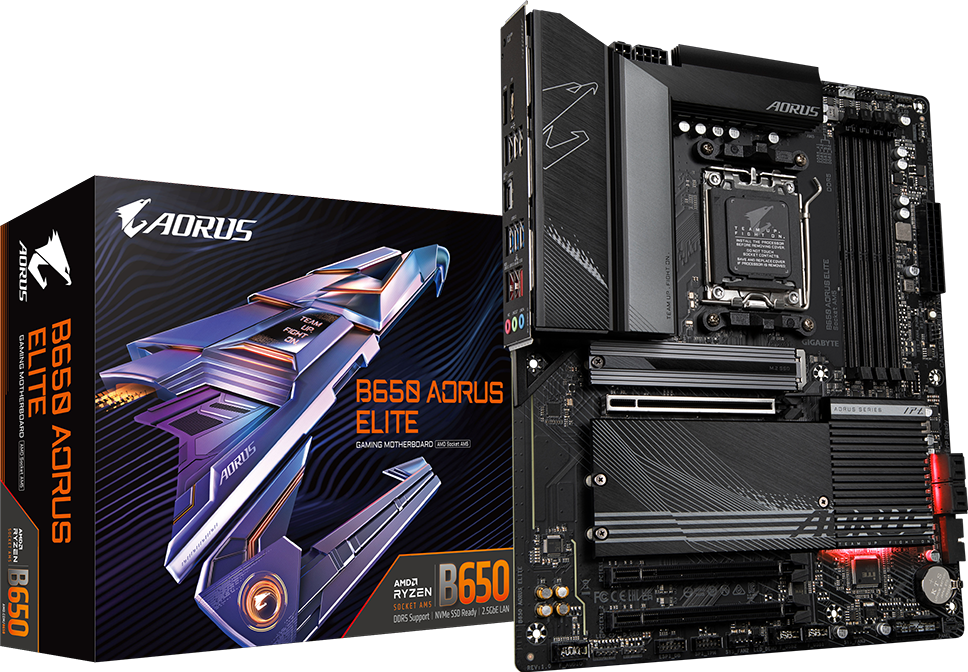
My motherboard's BLE chipset turned out to be the main culprit for the poor connectivity.
The board is a GIGABYTE B650 AORUS Elite — a fine board, otherwise. Its onboard Bluetooth, however, is a Realtek module. And as it turns out, the Realtek + Windows BLE story for sustained low-latency connections to peripheral devices is, charitably, not exactly its strongest feature.
In particular, the onboard radio would happily handle BLE for short sessions, but anything involving long-lived GATT subscriptions to a peripheral that occasionally went out of advertising range would degrade badly. I’d see the connection drop, the radio fail to scan, the radio fail to reconnect, the radio fail to acknowledge that the dice existed — all in cascading failures that compounded over a play session.
The $20 fix
I bought an ASUS USB-BT500 dongle for about $20. I plugged it in. I disabled the onboard Bluetooth. I re-paired the dice. I launched the game.
It just… worked. For an hour. Then for two hours. The disconnects didn’t go to zero — BLE is BLE, and Windows is Windows — but they went from “every ten minutes” to “maybe once a session,” and reconnects went from “five to fifteen seconds” to “under one second”. Literally, I don’t remember a single disconnect after that. I’m using this mod for two weeks now and it’s been flawless.
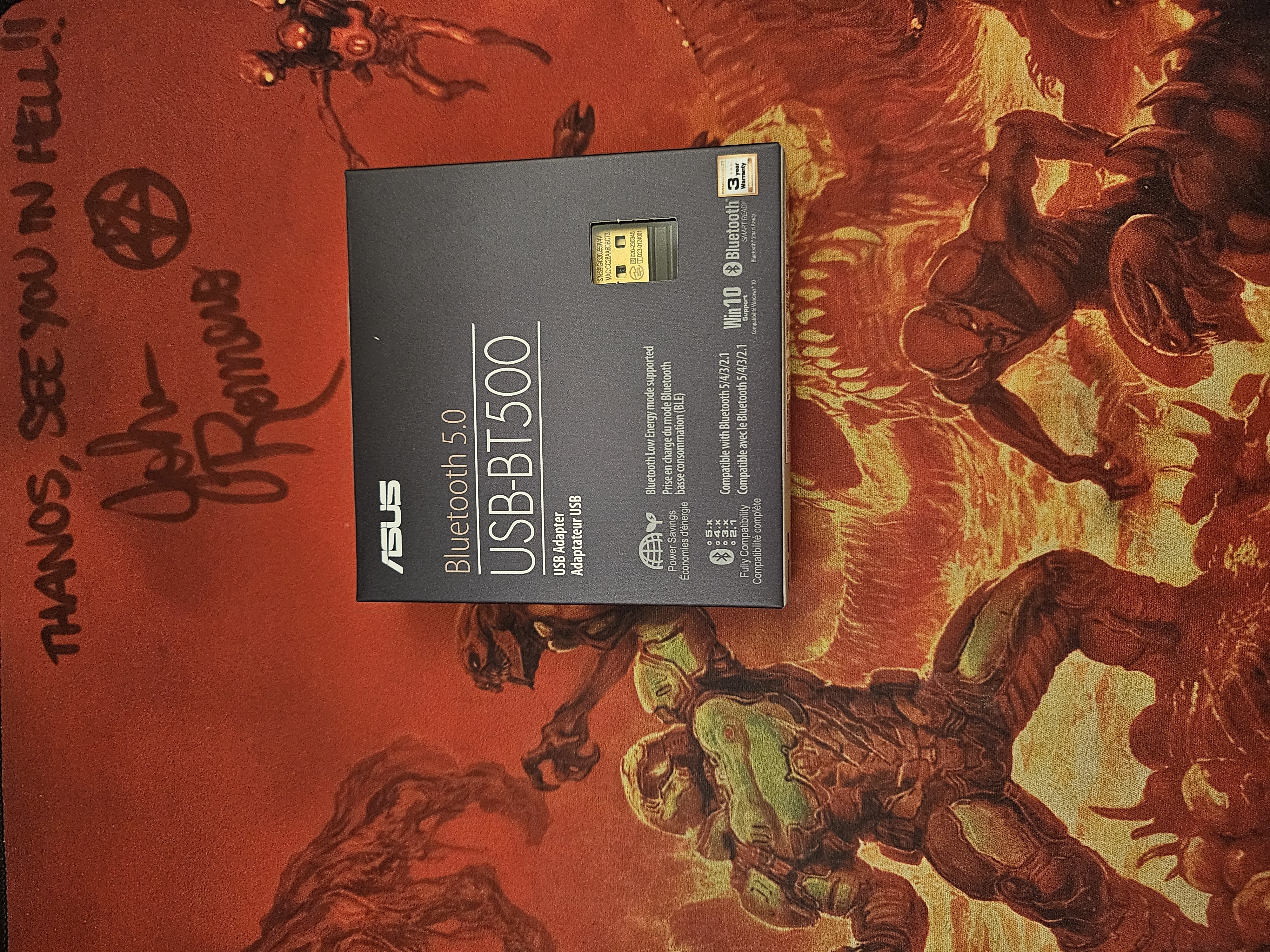
The ASUS USB-BT500 dongle that saved the day.
This is the part of the story where I have to admit something humbling. I’d written several hundred lines of recovery code, retry logic, and graceful-degradation paths to compensate for what turned out to be a $20 hardware problem. Not all of that code was wasted — a lot of it ended up genuinely useful for the cases where Windows BLE does misbehave even on good hardware — but a meaningful fraction of my engineering time was spent papering over a chip that was never going to be good at this job.
If you’re building anything like this: don’t trust your motherboard’s onboard Bluetooth to be production-quality. Buy a dedicated dongle.
Seeing it come alive
Enough with all the technical stuff. I could keep going all day about the BLE quirks and the Windows API gotchas, but here’s what the mod actually does under the hood:
- Detects when a dialogue roll is about to take place and sends to the Tray app a roll request (mode: normal or advantage/disadvantage)
- Waits for the Tray app to send back the result after the player rolls the dice
- Injects the result into the game’s dialogue system and automatically triggers the roll
- The animation starts automatically and the roll result reflects the actual value rolled
It’s simple, it’s effective, and it works flawlessly with the ASUS USB-BT500 dongle. I’ve had so much fun so far with it! Let’s see it in action:
It works with mouse & keyboard, as well as with gamepads. It works also on coop mode. Both players can share the dice. It supports multiple dice rolling at the same time, e.g., advantage/disadvantage rolls.
Go Roll Some Dice
The mod is live and working. If you want to try it out or poke around the code, everything is on GitHub: The mod itself is at tpetsas/bg3-smart-dice-rolls, the companion Pixels Tray App is at: tpetsas/pixels-tray-app. Nexus Mods page: Baldur’s Gate 3 - Smart Dice Rolls
Credits
- Hooking is built on MinHook.
- Tray App is based on PixelsWinCpp.
Roll well. 🎲🧙♂️⚔️🐲🍺 (There should be a D20 emoji! Nerds out there unite!)